
Now on your desktop.
The desktop app for Windows and Mac, a free review of your stock photos, a dashboard that feels alive, and folders for client work. Each one below on the real screen, with the exact place to find it.
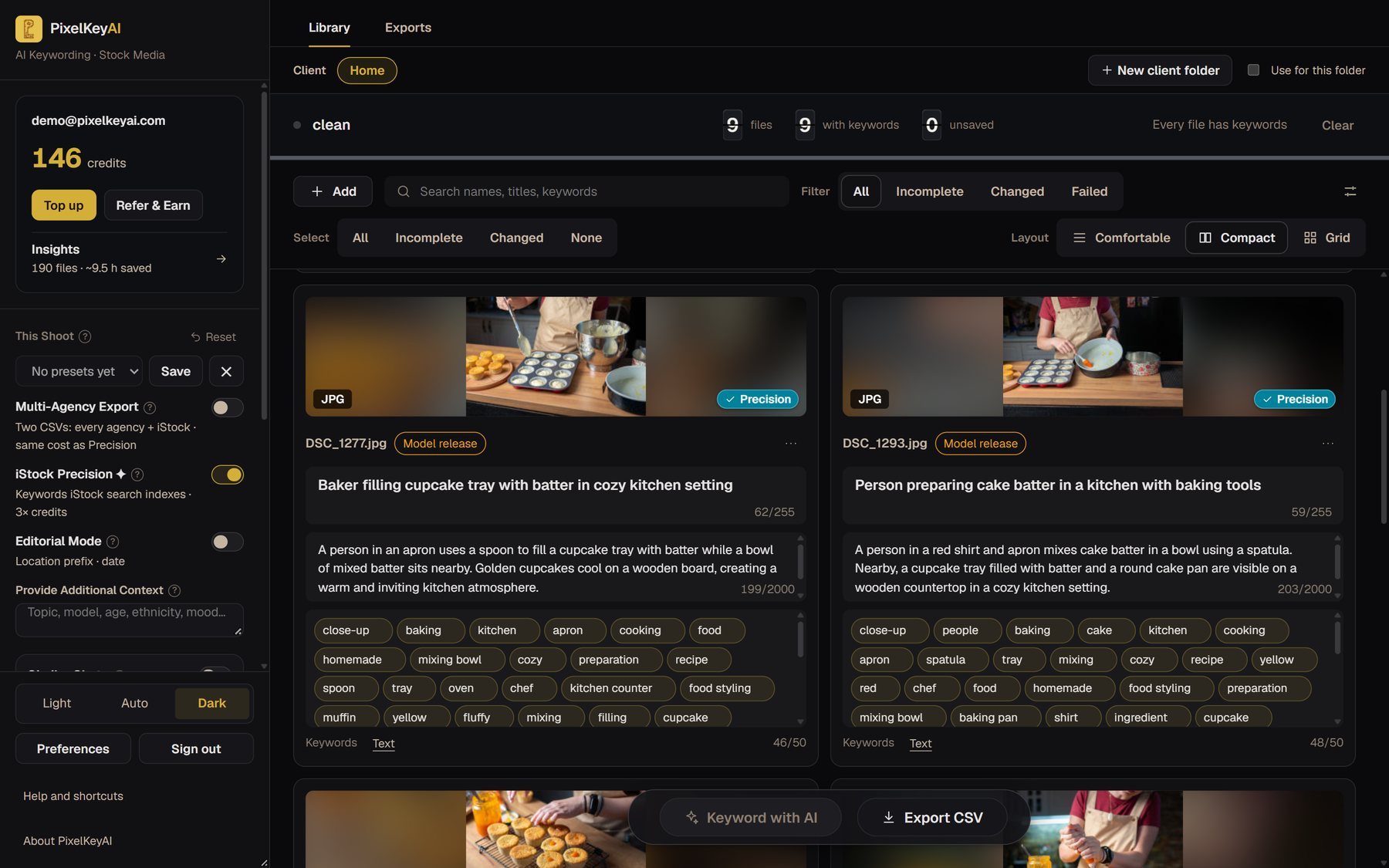
PixelKeyAI on your desktop
A free app for Windows and Mac. Open a folder of photos, keyword them the way the website does, and save the title, description and keywords into the files themselves. There is no CSV to import. The editor is free, keywording uses the same credits as the website, and the app updates itself.
Get the desktop app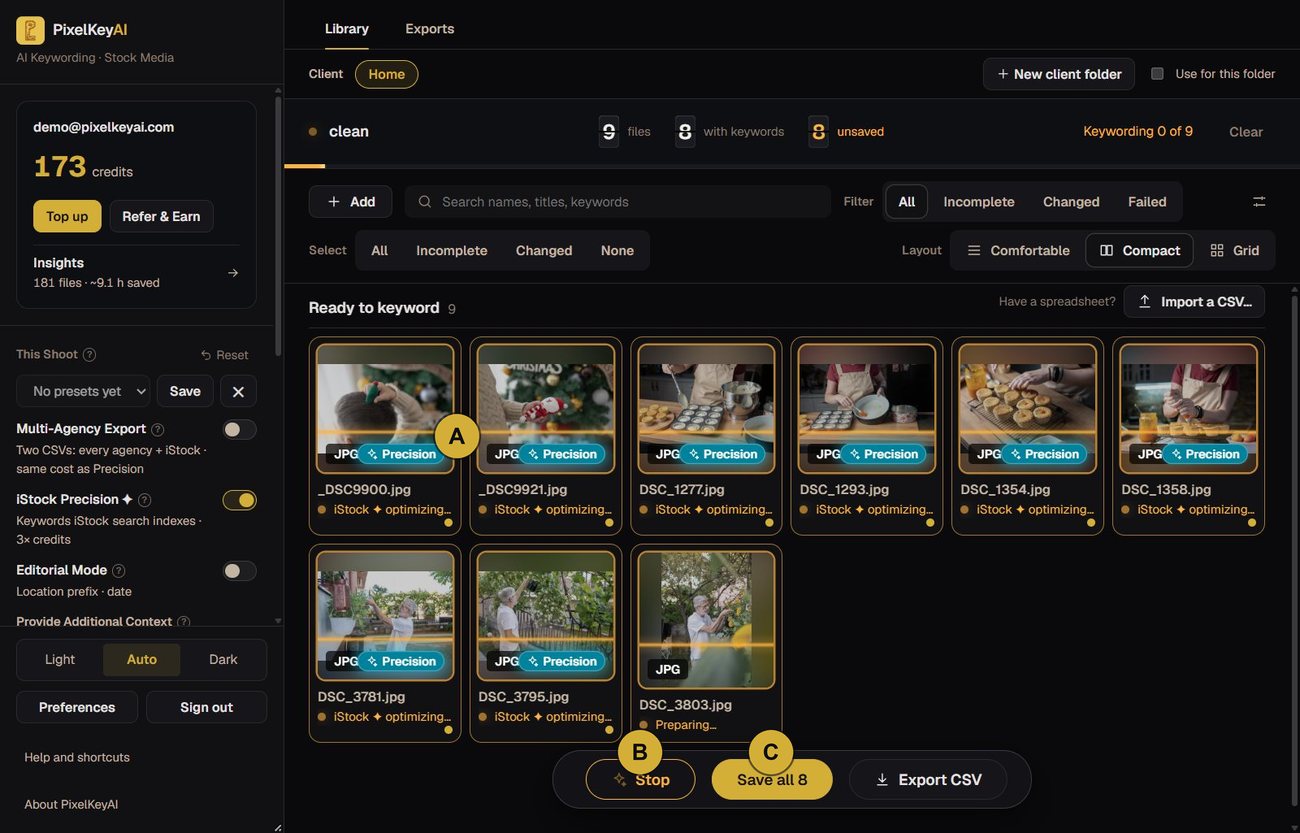
- A
Precision badge
Each photo shows it while iStock Precision runs on it.
- B
Stop
It is there for as long as a batch runs.
- C
Save all
Writes the title, description and keywords into the files themselves.
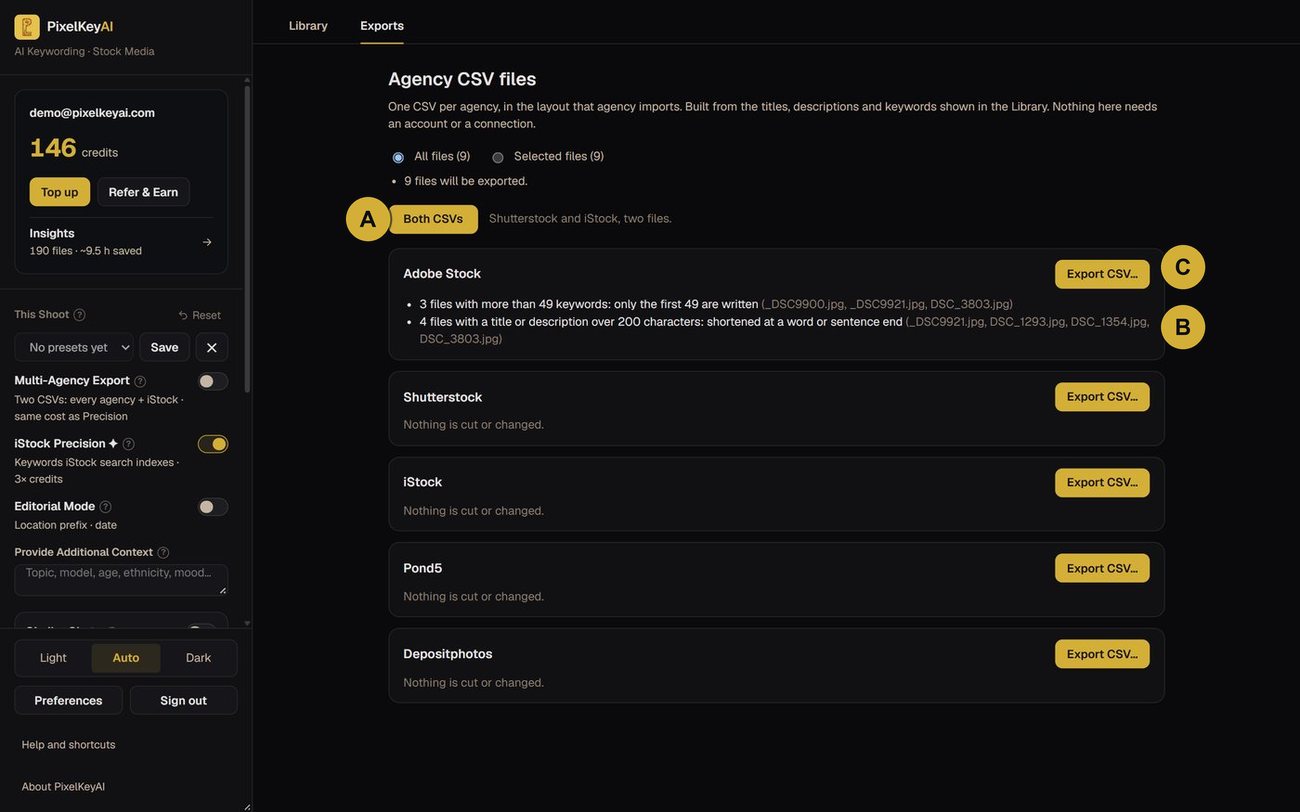
- A
Both CSVs
Shutterstock and iStock in one click, two files.
- B
Nothing is cut in silence
The card says what was shortened, and for which files.
- C
Export CSV
One file per agency, in the layout that agency imports.
A free review of your stock photos
Choose 5 to 10 photos and get an honest review of each: a grade and a score out of 100, whether it might suit Adobe Stock, Shutterstock or iStock, what to fix first and whether it needs a model release. It is free once a week, and your full-size photos stay on your computer. A review is an opinion, not a promise of acceptance.
Review your photos free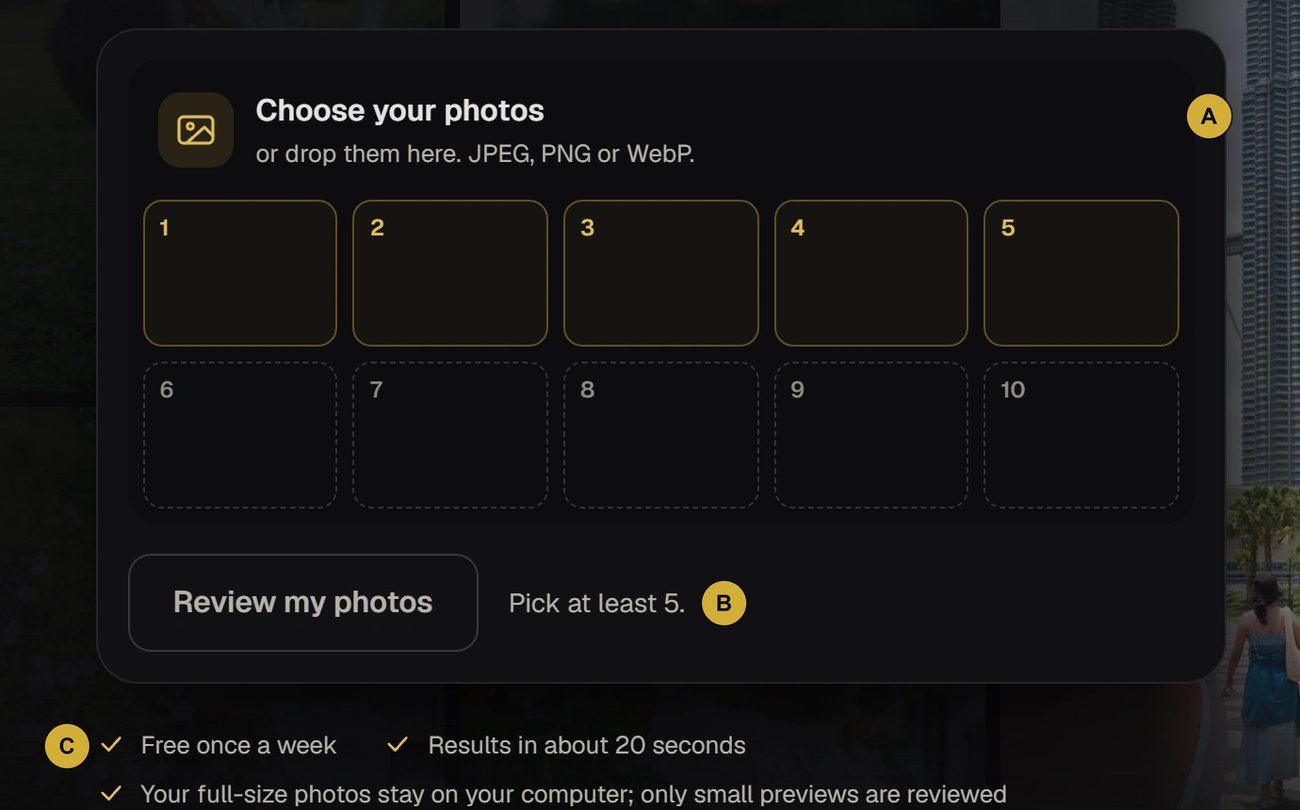
- A
Choose your photos
Five to ten, as JPEG, PNG or WebP. Drop them in or pick them.
- B
Review my photos
Press it once you have five. You confirm your email with a code.
- C
Free once a week
Only small previews are reviewed. The full-size files never leave your computer.
The report
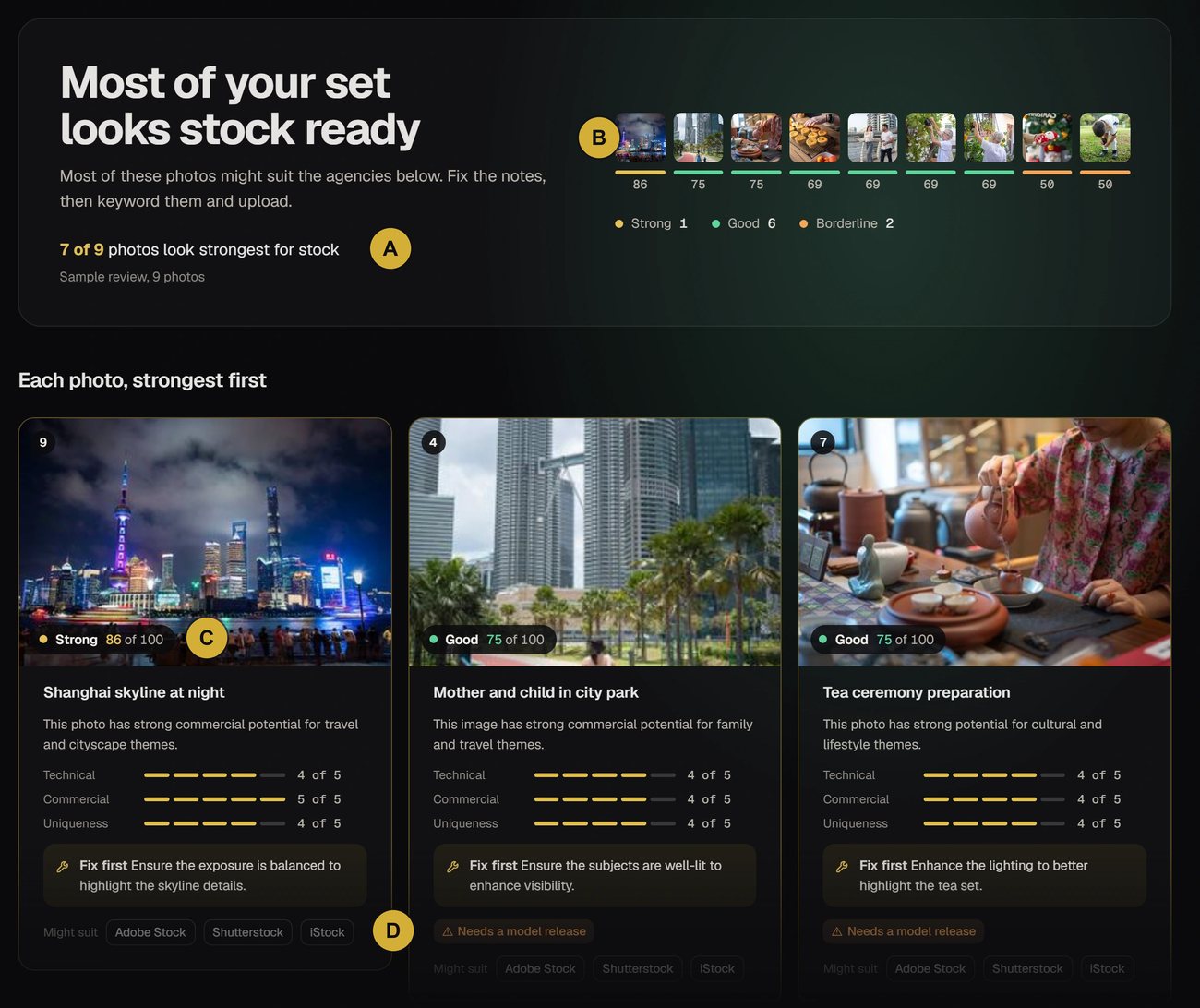
- A
A plain verdict
How many photos look strongest for stock, in one line.
- B
Every photo graded
Strong, Good or Borderline, with its score out of 100.
- C
A score on each card
Plus Technical, Commercial and Uniqueness out of 5.
- D
Might suit
The agencies the photo looks right for. Release flags show too.
A dashboard that feels alive
Insights now counts up from the figures you saw last time and says, in a line or two, what changed. ShotIQ reports were rebuilt around one score, where the photo lands and ratings listed by how much they count. Empty tabs show a worked example so you can see what you will get.
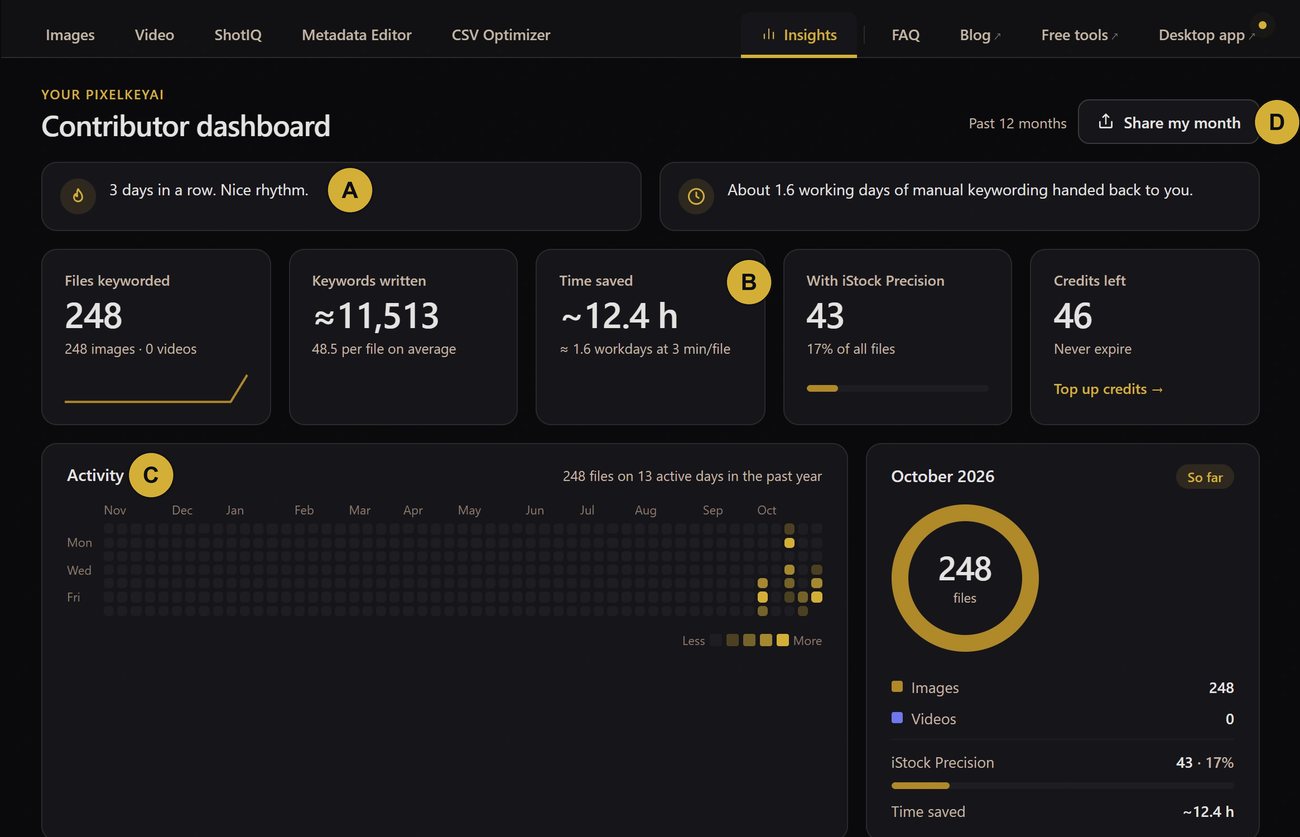
- A
Plain words
A line or two from your own numbers. Nothing shows when there is nothing to say.
- B
Figures that move
They count up from what you last saw, with a +N since you last looked note.
- C
Activity
Every working day of the past year.
- D
Share my month
Makes a card you can post.
ShotIQ
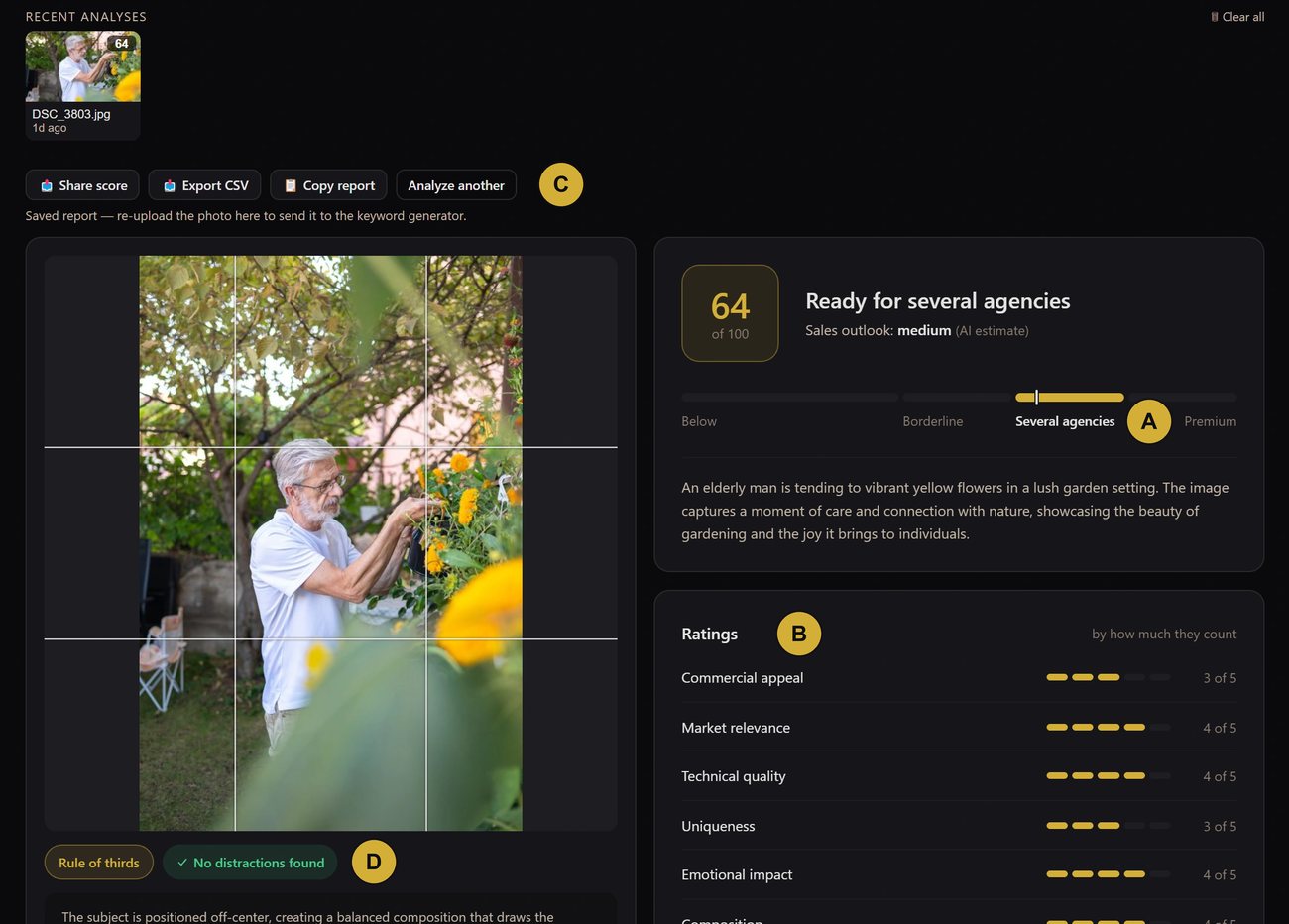
- A
Where it lands
Below, Borderline, Several agencies or Premium.
- B
Ratings
Listed by how much they count, each out of 5.
- C
Take it with you
Share score, Export CSV, Copy report or Analyze another.
- D
Composition notes
Rule of thirds and distractions, read from the photo.
Folders built for client work
Give each client a folder with its own preset and its own banned keywords. Open the folder and the preset applies, and the banned words are removed from every result in it. Your account-wide banned keywords still apply too.
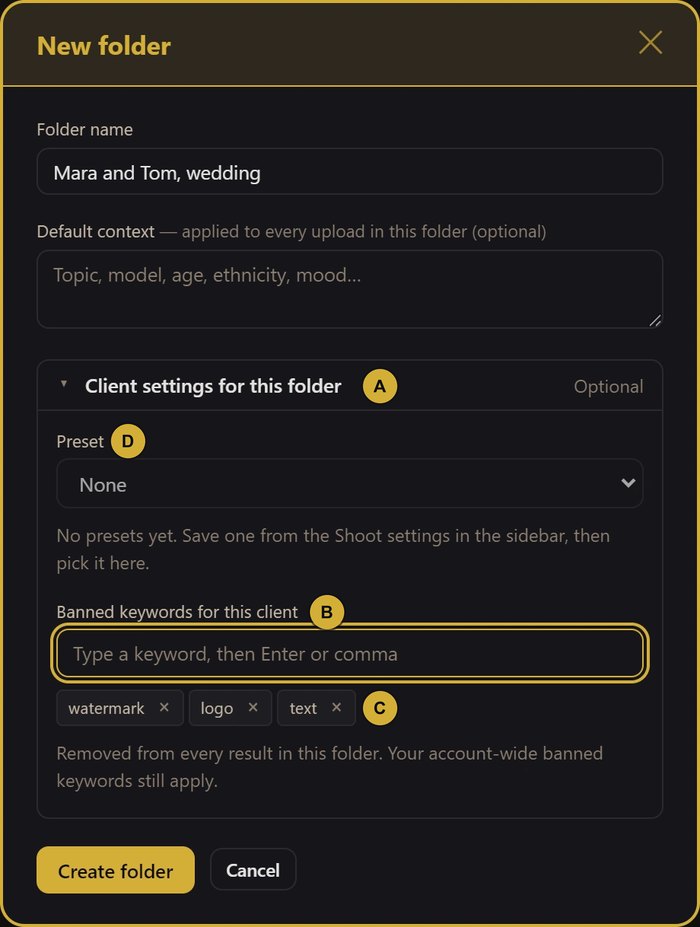
- A
Client settings
Optional. It opens by itself on a folder that already has settings.
- B
Banned keywords for this client
Type a word, then Enter or a comma.
- C
Chips
Click the cross to take a word back out.
- D
Preset
Pick one you saved from the sidebar's This Shoot settings.
Also new.
Keyboard review
J and K move between finished cards, T and D jump to the title and description, C copies the keywords and X marks a card as reviewed. Press ? to see them all.
Imagespress ?Usage by client
Files and credits per client folder for any month, as a CSV for your invoice.
Imagesfolder barUsage by clientBanned keywords
Words you never want in a result, kept on your account and removed from every file.
SidebarBanned keywordsYour files keep their other metadata
When keywords are embedded, the creator, copyright and other details already in the file stay as they were.
ImagesDownload Keyworded FilesLight, Auto and Dark
Auto follows your system. The whole site, blog and tools included, follows your choice.
Sidebartheme buttonFree tools
A Keyword Checker, an Agency CSV Converter, an EXIF Viewer and an Image Compressor. No account needed.
Top of the appFree tools